Type Detective™
A playful mini-course for Glyphs users who want sharper letters and a sharper eye.
3 Tiers of Difficulty
🕵️ Beginner
🕵️🕵️ Intermediate
🕵️🕵️🕵️ Master

Step into a Detective role and crack the cases
Every case file holds clues, mistakes, and hidden issues waiting to be uncovered, making skill-building feel light, fun, and deeply satisfying.
Whether you’re just starting with Glyphs or already shaping complex families, each tier challenges you to spot issues, refine shapes, and build better habits while enjoying the process.
How it works
Each case opens like a mini mystery: the correct letterform sits on the right, the flawed version on the left, and it’s your job to bring the left side up to standard.
Turn on the Background layer and Show Annotations to reveal helpful clues as you investigate.
Each tier increases in difficulty, so as you progress you’ll sharpen your eye and your skills. It’s hands-on, engaging, and surprisingly fun to watch everything click into place.
What you’ll uncover
Better Letters
Sharpen your ability to see structure, spacing, and optical balance.
Better Workflow
Learn to identify and fix problems fast, before they grow into bigger ones.
Joy in your Skill
Solving cases makes learning feel like a game, not homework.
The Case Files
🕵️.glyphs
Cases: 167
Difficulty level: 🕵️
Misaligned stems, weak overshoots, basic consistency issues.
🕵️🕵️.glyphs
Cases: 267
Difficulty level: 🕵️🕵️
Component misalignments, incomplete anchors, accent construction problems.
🕵️🕵️🕵️.glyphs
Cases: 199
Difficulty level: 🕵️🕵️🕵️
pacing refinements, interpolation quirks, optical tuning, subtle precision fixes.
Think you’ve cracked it all?
Test yourself with the 25-mistake challenges.
🕵️🕵️ Find all 25 mistakes
Focus: misaligned stems, weak overshoots, basic consistency issues.
🕵️🕵️ Find all 25 mistakes
Focus: component misalignments, incomplete anchors, accent construction problems.
🕵️🕵️🕵️ Find all 25 mistakes
Focus: spacing refinements, interpolation quirks, optical tuning, subtle precision fixes.
This course is for you if:
You’ve never opened Glyphs but want to try it out
You want to take the Script Fonts Course or the True Italics Course but have never worked with Glyphs
You want to get started without feeling overwhelmed
What you’ll need:
A Mac with Glyphs installed (you can use the free 30 days trial!)
Absolutely no prior experience needed
A bit of curiosity and 75 minutes of focused time
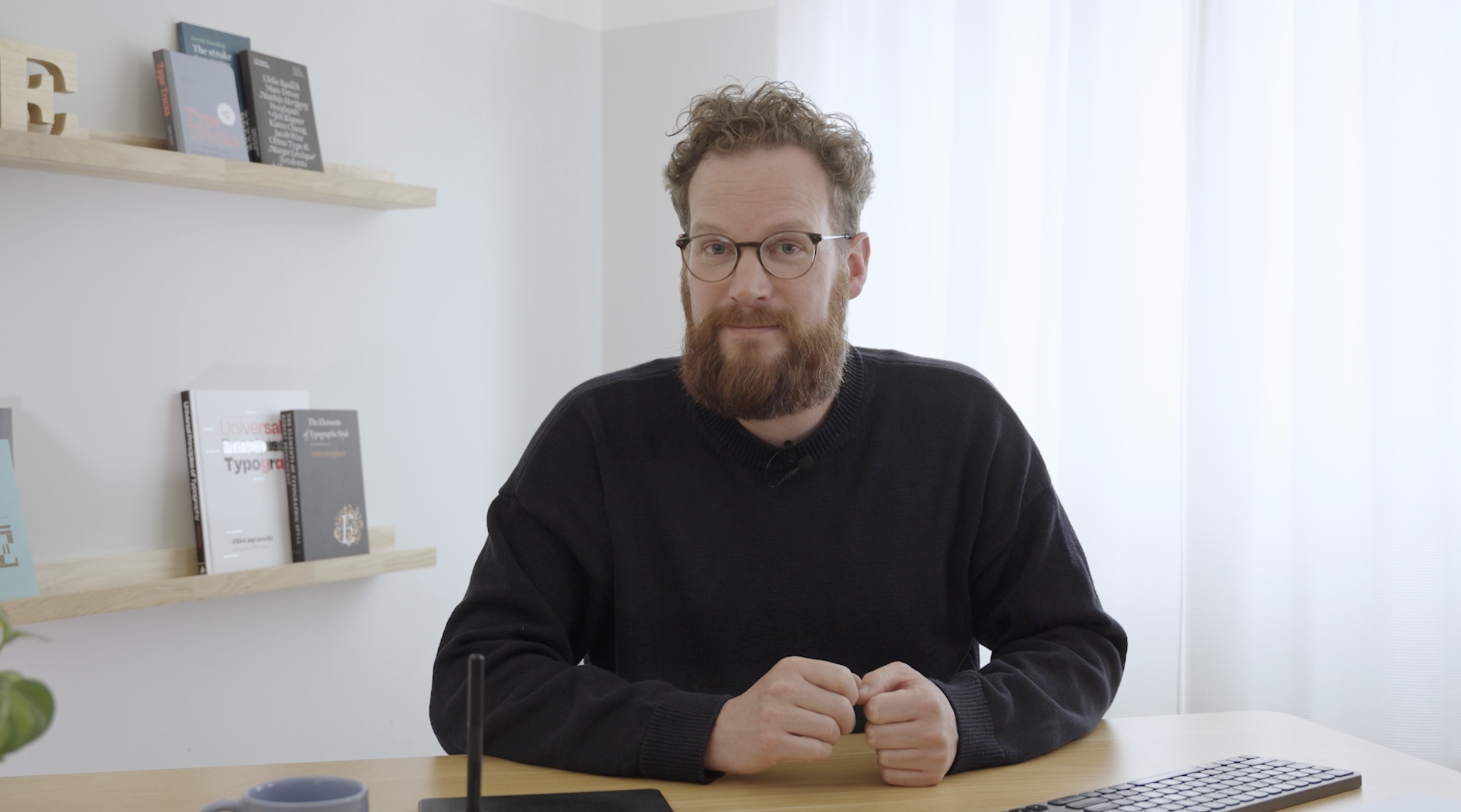

Hi, my name is Viktor
I’ve taught more than a thousand creatives how to build fonts from scratch and I know how overwhelming it can feel at the beginning. That’s why this course is short, clear, and focused on just what you need to get started. No fluff. No steep learning curve. Just small wins and simple tools to get you moving.
Frequently Asked Questions
-
Yes. Once you’re enrolled, you have the flexibility to start at your own pace, whether that’s next week, a few months down the road or even next year.
I want the courses to fit into YOUR schedule, not the other way around.
-
No, you don’t need to purchase both. The Glyphs Basics mini-course is a stripped-down version of the full Font Making Course. If you plan to take the full course, it already includes everything covered in Glyphs Basics.
-
You’ll get full access to all videos, plus the guidebook. No need to wait for new content to appear, you can dive right in!
-
No, this mini course is fully self-paced and designed to be easy to follow without additional support. All the resources you need are included in the course content. If you're looking for guided help or feedback, we recommend checking out our full courses that include instructor support.
-
Yes! Like all of our courses, this one is 100% online. You can learn at your own pace, on your own schedule, from anywhere in the world. Stuck on a technique? No problem—just scroll back, rewatch a lesson, and pick it up again whenever you’re ready.
-
Yes. This mini-course is specifically made beginner-friendly to help you draw, space, and export your first characters—with zero prior experience needed.
-
To follow this course, you’ll need to install either Glyphs 3 or Glyphs Mini. I recommend using Glyphs 3—it handles components more smoothly, and gives you access to more advanced features down the line.
Curious about the differences between the two? Check out this blog post. You can also try Glyphs 3 for free with their 30-day trial, available on the official website.
If Glyphs 3 isn’t within your budget, Glyphs Mini is still a great option. You’ll just need to adapt some of the techniques, and the interface may look a little different from what you see in the course videos.
-
Let’s be honest—“lifetime access” is a bit of a stretch. You’ll have guaranteed access to the course materials for at least 5 years, or as long as the content remains relevant to the current version of the Glyphs software. For full details, please check our Refund and Cancellation policy.
-
While this Glyphs Basics Mini-Course offers a solid introduction to using Glyphs and creating simple fonts, it does not cover several advanced topics that are included in the full Font Making Course. These advanced topics include:
Drawing of all upper- and lowercase letterforms, punctuation, Western European diacritics, advanced components like rounded corners, ink traps, segment components, and cap components, multiple weights like Light and Extra Bold and variable fonts, helpful plugins and scripts, OpenType features like ligatures and discretionary ligatures, kerning, spacing groups, kerning pairs, and tips snd techniques to achieve professional-level fonts.
If you're aiming to develop a more complex and versatile typeface, or wish to deepen your understanding of font design, the Font Making Course provides the comprehensive instruction needed to advance your skills.
-
The price is shown without VAT because some customers (e.g., businesses) can reclaim VAT, and VAT rates vary by country. The total price, including VAT, will be shown at checkout based on your location. Please fill in your Business Vat ID upon checkout.
Any additional questions? Feel free to email us at info@typedesignclass.com

AVAILABLE YEAR ROUNDStart with the Basics
Draw, space, and export your first characters, with zero prior experience needed.
6 High Quality videos

Helpful Guidebook included
Start with a solid foundation
